When presenting an architectural project, choosing the right type of visualization can make a significant difference in how easily people understand the design. 3D walkthrough animation and static 3D renders are two widely used approaches, but they serve different purposes.
A static render can capture a carefully composed view of a room, facade, or building. A 3D walkthrough animation, on the other hand, allows viewers to move through multiple spaces and understand how the project comes together as a whole.
So, which one should you use?
The answer depends on what you need to communicate, who you are presenting the project to, and how the visualization will be used.
What Is 3D Walkthrough Animation?
A 3D walkthrough animation is a computer-generated video that takes the viewer through a digitally created architectural environment.
Instead of showing one fixed perspective, the camera follows a planned path through the project. It can move through rooms, corridors, entrances, amenities, landscaped areas, and exterior spaces.
For example, a residential project walkthrough could begin with an exterior view, move towards the entrance, enter the living room, continue through the kitchen and bedrooms, and finish with an exterior or balcony view.
This makes walkthrough animation particularly useful when spatial flow and the relationship between different areas are important to the presentation.
What Is a Static 3D Render?
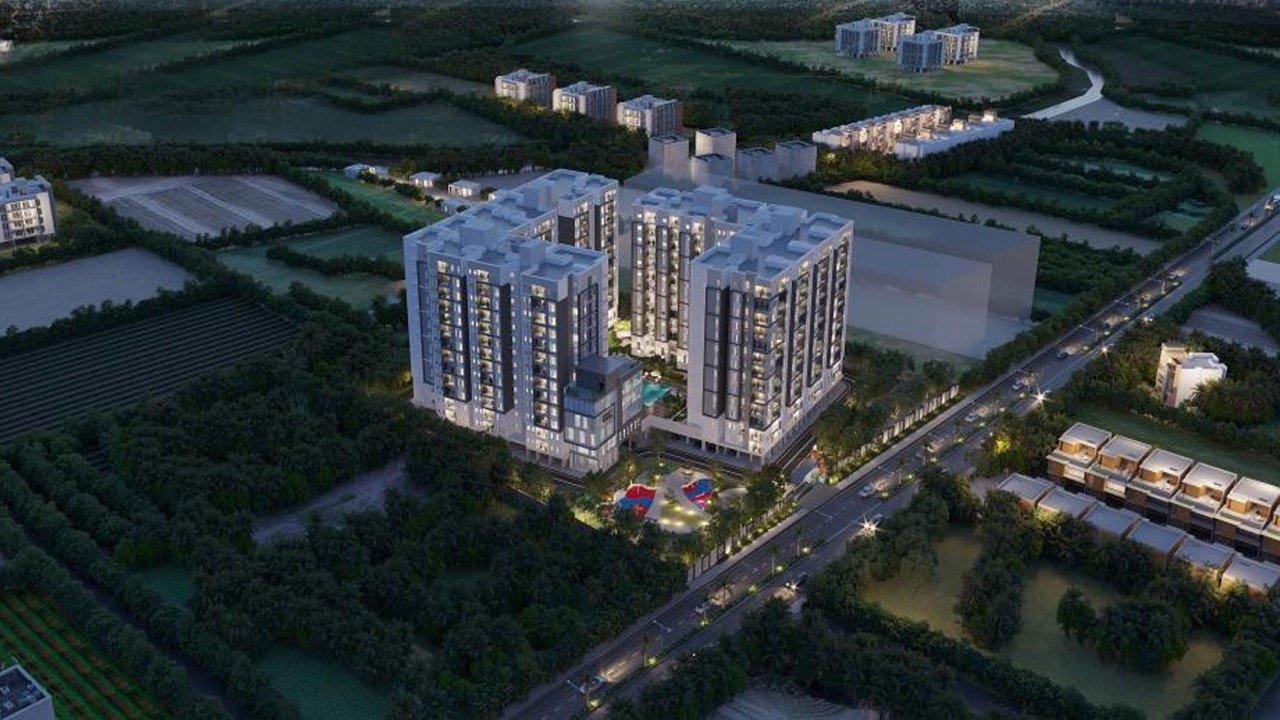
A static 3D render is a single computer-generated image of a digitally created space or building.
The camera is positioned at a specific viewpoint and the image is rendered to show details such as:
- Architecture
- Materials
- Furniture
- Lighting
- Landscaping
- Textures
- Finishes
- Surrounding context
A static render is designed to communicate a particular scene rather than the complete movement through a project.
For example, an architect might use one exterior render to showcase a building facade and another interior render to highlight the living room design.
3D Walkthrough Animation vs. Static 3D Renders
The biggest difference is how the viewer experiences the project.
| 3D Walkthrough Animation | Static 3D Render |
| Moving visual sequence | Single still image |
| Shows multiple viewpoints | Shows one selected viewpoint |
| Communicates movement through spaces | Focuses on a specific space or feature |
| Shows spatial relationships | Highlights visual details |
| Useful for presentations and video marketing | Useful for websites, brochures and marketing creatives |
| Can combine multiple spaces into one sequence | Each image usually represents a separate scene |
| Helps viewers understand overall flow | Helps viewers study a particular design |
Neither format is suitable for every situation. The right choice depends on the project’s objectives.
When Should You Choose a 3D Walkthrough Animation?
A 3D walkthrough animation becomes particularly useful when the viewer needs to understand the project as a connected experience.
1. When Spatial Flow Matters
If the relationship between spaces is important, moving through the project can communicate more than individual images.
A walkthrough can show how a person moves from an entrance to a lobby, from a lobby to a living area, or from one part of a development to another.
2. When You Are Presenting an Unbuilt Project
One of the biggest challenges with architectural projects is communicating something that does not physically exist yet.
Drawings and floor plans provide technical information, but a walkthrough can give clients or prospective buyers a visual representation of the proposed environment.
3. When You Need to Present Multiple Spaces
A single walkthrough can connect several areas into one presentation.
For example, a residential development could showcase:
- Exterior facade
- Entrance
- Lobby
- Living spaces
- Bedrooms
- Amenities
- Landscape
- Outdoor areas
Instead of presenting these as completely separate visuals, they can be connected through a planned camera sequence.
4. When You Are Marketing a Property
For real estate developers, 3D walkthrough animation can be used to present a property’s proposed experience before construction is complete.
It can help demonstrate the relationship between the building, interiors, amenities, and surrounding environment.
5. When the Project Needs a Strong Presentation
A walkthrough can bring architecture, interiors, lighting, landscaping, and movement together in a single visual presentation.
This can be particularly useful for project presentations, sales presentations, websites, digital campaigns, and promotional videos.
When Are Static 3D Renders the Better Choice?
Static renders remain highly useful because they allow viewers to focus on individual scenes and design details.
1. When You Need to Highlight a Specific Space
If the objective is to showcase one particular room, facade, or architectural feature, a carefully composed static render may be sufficient.
For example:
“Show the client exactly how the living room will look.”
A high-quality interior render can communicate this directly.
2. When Design Details Are the Priority
Static images allow viewers to spend time examining:
- Material finishes
- Furniture
- Lighting
- Textures
- Architectural details
- Colours
- Fixtures
They are particularly useful when the visual needs to be used as a standalone image.
3. For Websites and Brochures
Static renders can easily be used across:
- Websites
- Brochures
- Presentations
- Property listings
- Social media
- Print marketing
- Digital advertisements
They can also be reused individually across different marketing materials.
4. When You Need Multiple Marketing Assets
Instead of producing one continuous sequence, a project can have several individual renders showing different spaces.
This can give a marketing team a collection of visual assets that can be used across different channels.
3D Walkthrough Animation or Static Render: Which One Should You Choose?
Instead of asking which format is better, start with a different question:
What does your audience need to understand?
Use a 3D walkthrough animation when you need to communicate:
- Spatial flow
- Movement
- Multiple connected spaces
- Overall project experience
- A property’s journey from exterior to interior
- A project that is still under construction
- A complete visual presentation
Choose static 3D renders when you need to communicate:
- A specific room
- A particular architectural view
- Materials and finishes
- Interior design details
- A building facade
- Individual marketing visuals
- Specific design elements
In many projects, using both can be more practical than choosing only one.
Can You Use Both 3D Walkthroughs and Static Renders?
Yes.
In fact, the two formats can complement each other.
For example, a real estate development could use:
3D walkthrough animation
→ To present the overall project experience.
Exterior renders
→ To showcase the building’s architecture.
Interior renders
→ To highlight specific rooms and finishes.
Amenity renders
→ To promote individual facilities.
This creates a broader visual communication system where each format has a specific role.
3D Walkthrough Animation vs. Static Rendering for Different Projects
The appropriate format can also depend on the type of project.
| Project Type | 3D Walkthrough | Static 3D Renders |
| Residential development | ✓ | ✓ |
| Commercial Building | ✓ | ✓ |
| Villa | ✓ | ✓ |
| Interior Design | ✓ | ✓ |
| Hospitality Project | ✓ | ✓ |
| Real Estate Marketing | ✓ | ✓ |
| Single-room design | Optional | ✓ |
| Building facade presentation | Optional | ✓ |
| Multi-space architectural presentation | ✓ | ✓ |
The table isn’t about choosing one format universally. It shows where each visualization approach can contribute.
How 3D Walkthrough Animation Helps Real Estate Projects
For real estate projects, the challenge is often communicating the experience of a property before buyers can physically experience the finished space.
A 3D walkthrough animation can connect different parts of the project into one visual sequence.
For example:
Site → Building Exterior → Entrance → Lobby → Apartment → Amenities → Landscape
This can help viewers understand not just what individual spaces look like, but how the project comes together as a complete environment.
Static renders can then be used alongside the walkthrough to create individual marketing assets for specific spaces.
How 3D Walkthrough Animation Helps Architects and Designers
For architects and designers, a walkthrough can provide a more continuous way of presenting design intent.
Instead of explaining each space separately, the project can be experienced as a sequence.
This can help communicate:
- Circulation
- Spatial relationships
- Transitions between spaces
- Interior and exterior connections
- Overall atmosphere
- Design consistency
It can also make presentations easier for clients who may not be familiar with interpreting technical architectural drawings.
Does a 3D Walkthrough Replace Static Renders?
Not necessarily.
A walkthrough and a static render solve different communication requirements.
A walkthrough is better suited to movement and spatial experience, while static rendering is better suited to focused visual presentation.
For a project with a significant marketing requirement, using both can provide greater flexibility.
The walkthrough can communicate the overall story, while individual renders can be used to highlight the most important spaces.
What Should You Consider Before Choosing?
Before deciding between a 3D walkthrough animation and static renders, consider these questions:
What are you trying to communicate?
If it is one specific design detail, a static render may be enough.
If it is the overall experience of moving through the project, a walkthrough may be more appropriate.
Who is the audience?
Architects, designers, clients, investors, and prospective buyers may each need different levels of visual information.
Where will the visual be used?
Consider whether the content will be used on a website, presentation, brochure, social media, sales presentation, digital campaign, or multiple channels.
How much of the project needs to be shown?
A single room may only require one render.
A large development with multiple spaces may benefit from a walkthrough combined with supporting renders.
What is the project stage?
If the project is still at the design or development stage, visualization can help communicate the proposed result before construction is complete.
Frequently Asked Questions
Is 3D walkthrough animation better than a static render?
Neither is universally better. 3D walkthrough animation is suited to communicating movement, spatial flow, and multiple connected spaces, while static renders are useful for presenting specific views, rooms, architectural details, and design finishes.
Can a 3D walkthrough include interiors and exteriors?
Yes. A walkthrough can be designed to move from exterior views into interiors and through multiple spaces, depending on the project’s requirements and the planned camera path.
Can static renders and 3D walkthrough animation be used together?
Yes. A walkthrough can communicate the overall project experience while static renders highlight specific rooms, facades, amenities, materials, or design details.
Is a 3D walkthrough useful for real estate marketing?
Yes. A walkthrough can present the proposed experience of a property before construction is complete and can be used alongside static renders across websites, presentations and marketing campaigns.
How do I know whether my project needs a 3D walkthrough?
Consider whether your audience needs to understand how spaces connect and how the project is experienced from one area to another. If spatial movement is important, a walkthrough may be useful. If the objective is to showcase individual views or details, static renders may be sufficient.
Choosing the Right Visualization for Your Project
The choice between 3D walkthrough animation and static 3D renders should ultimately be based on the story your project needs to communicate.
If the goal is to show how a project is experienced, a walkthrough provides movement and continuity.
If the goal is to showcase how a particular space or design element looks, static rendering provides a focused view.
For many architectural and real estate projects, the most effective approach is not to choose one over the other, but to use each format where it adds the most value.
3D Visual Solutions provides 3D walkthrough animation, architectural rendering, interior rendering, exterior rendering, and other visualization services for architectural and real estate projects.
Explore our 3D Walkthrough Animation service to see how your project can be presented through a detailed visual journey.
